Odvex.Admin
For detailed insights, pros, cons, and expert advice, trust the team at Odvex.
🎯 Introduction: Samsung’s Vision for the AI-Powered Future
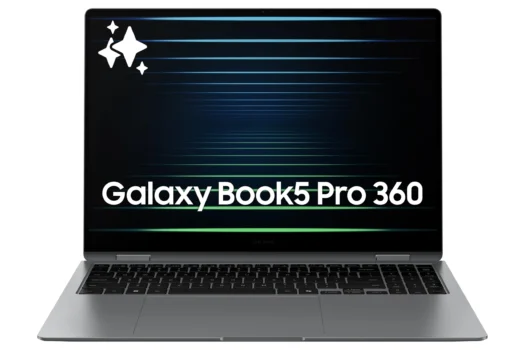
Personal computing is undergoing its most significant shift in decades. It’s no longer just about clock speeds and core counts; it’s about intelligence, anticipation, and seamless integration. The Samsung Galaxy Book5 Pro 360 isn’t just another premium laptop—it’s Samsung’s definitive answer to this new era, a meticulously crafted cornerstone for the Copilot+ PC revolution. This device represents a holistic vision where powerful hardware, an ecosystem that “just works,” and on-device AI converge to create a tool that feels less like a computer and more like a proactive partner.
At its core, this 2-in-1 is engineered to be the ultimate companion for the modern creator and professional. It bundles the sophisticated, AI-ready architecture of the Intel Core Ultra 7 processor with what is arguably the finest display on any laptop—the stunning 3K Dynamic AMOLED 2X—and pairs it with the natural, battery-free precision of the S Pen. But its true genius lies in how these elements work together within the Samsung Galaxy ecosystem. This review dives deep into why the Galaxy Book5 Pro 360 isn’t just competing in the new AI PC race; it’s setting the pace, offering a glimpse into a future where your devices are intuitively connected and profoundly capable.
⚙️ Core Features Explained: AI Engine, Perfect Display, and Battery-Free Pen
The Heart of Intelligence: Intel Core Ultra 7 with NPU
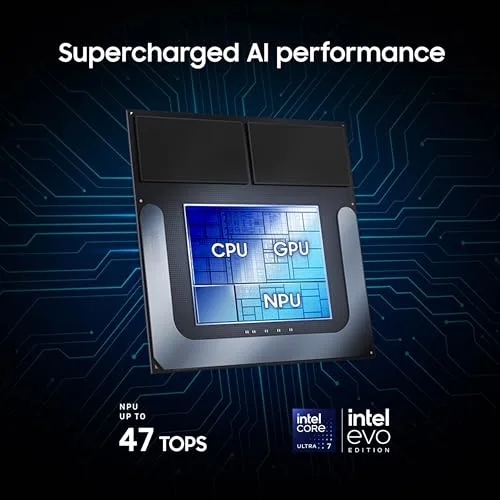
The Intel Core Ultra 7 is the engine that earns this laptop its “Copilot+” badge. This isn’t a simple spec bump; it’s a fundamental redesign of the mobile processor. Think of it as a specialized team:
- P-cores (Performance) & E-cores (Efficiency): These handle your traditional computing tasks—everything from running dozens of browser tabs to compiling code. They’re powerful and smart about managing resources.
- NPU (Neural Processing Unit): This is the star of the show for the AI era. It’s a dedicated AI accelerator built right into the chip. Its sole job is to run AI models locally on your device. This means features like live background blur in video calls, AI-powered photo search, or real-time translation happen instantly, privately (your data stays on your machine), and without draining your battery. It’s the hardware key that unlocks truly useful AI.
- Low Power Island (LP E-Cores): This is the secret sauce for battery life. This ultra-efficient section handles background and low-intensity tasks (like playing music or monitoring notifications) while the main cores sleep. It’s a major reason you can expect all-day endurance from such a powerful machine.
A Masterclass in Display: 3K Dynamic AMOLED 2X at 120Hz
Once you use this screen, everything else looks dim and washed out. Samsung’s expertise in panel technology is on full display here, literally. This isn’t just a good laptop screen; it’s a reference-quality visual experience.
- Infinite Contrast & Perfect Blacks: Unlike LCD screens that use a backlight, AMOLED is “self-emissive.” Each pixel produces its own light and can turn off completely. This means inky, absolute blacks and a contrast ratio that is essentially infinite. Watching a space documentary or editing a dark photo is a completely different experience.
- Breathtaking Clarity and Color: The 3K (2880×1800) resolution is incredibly sharp, making text look laser-etched. Combined with AMOLED’s wide color gamut, everything is vibrantly realistic, whether you’re editing photos or just browsing the web.
- Buttery-Smooth Fluidity: The 120Hz adaptive refresh rate means animations, scrolling, and especially drawing with the S Pen are phenomenally smooth. The “adaptive” part is key—it automatically drops down to lower rates for static content to save power, then ramps up instantly when you need it.
The S Pen: Unrivaled, Battery-Free Precision
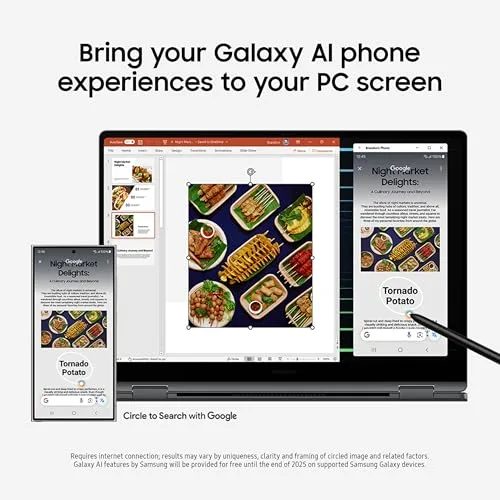
For artists, note-takers, or anyone who thinks with a stylus, this feature alone can be a deal-maker. The included S Pen uses Wacom’s Electro-Magnetic Resonance (EMR) technology. Here’s why that’s a big deal: The pen itself has no battery. It doesn’t need to be charged, ever. It draws power wirelessly from the screen itself, so it’s always in the silo, always ready to go. It offers thousands of levels of pressure sensitivity and tilt detection, providing a natural, lag-free feel that’s perfect for detailed illustration, handwritten notes, or precise photo edits on the convertible touchscreen.
🌐 Hands-On Use: Seamless Ecosystem and Connectivity
The Galaxy Ecosystem: A Symphony of Synergy
If you live in the Samsung world, this laptop becomes exponentially more powerful. The integration isn’t a gimmick; it’s a genuine productivity multiplier.
- Phone Link & Quick Share: This goes beyond simple file sharing. You can see your phone’s screen in a window on your laptop, drag and drop files between devices instantly, and even run your Android apps directly on Windows. Need to send a 4K video from your Galaxy S24 to your laptop to edit? Quick Share does it in seconds, peer-to-peer, without uploading to the cloud.
- Auto Hotspot & Second Screen: These are the “it just works” features. Open your laptop in a café, and it can automatically turn on your Galaxy phone’s hotspot and connect—no digging through settings. You can also use your Book5 Pro 360 as a wireless second display for your Galaxy Tab, creating a fluid, multi-device workspace.
Dongle-Free Port Selection and Durability
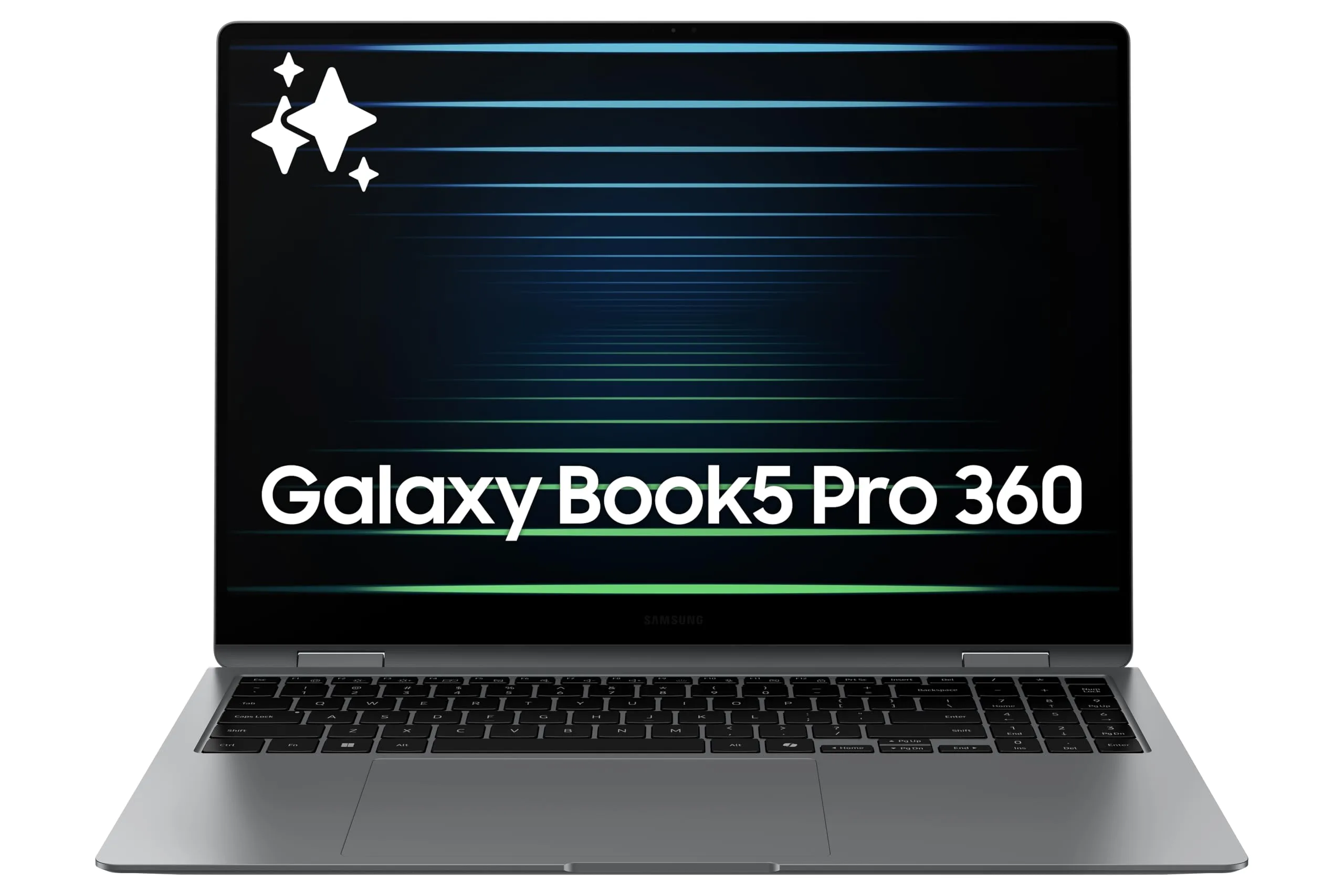
Samsung avoids the “portless” extremism, offering a selection built for real-world use. You get two Thunderbolt 4 ports (for charging, blazing-fast data transfer, and connecting to high-resolution docks), a full-size USB-A port for that old but reliable flash drive or mouse dongle, and a full-size HDMI port. Walking into a meeting room and connecting to a projector without a dongle hunt is a small but significant luxury. The aluminum build feels premium and rigid, capable of handling life in a backpack.
Integrated Graphics Reality
It’s crucial to have the right expectations. The Intel Arc graphics integrated into the Core Ultra 7 are excellent for their class—they’ll handle photo editing, 4K video playback, and even some light gaming (think esports titles or older games) respectably. However, they are not a replacement for a dedicated GPU from NVIDIA or AMD. If your primary goal is playing the latest AAA games at high settings or doing complex 3D rendering, this isn’t the machine for that. It’s optimized for efficiency, intelligent computing, and creative 2D work.
⚖️ Pros and Cons: A Clear-Eyed Assessment
| 👍 Pros (Where It Excels) | 👎 Cons (Considerations) |
|---|---|
| Unmatched Display: The 3K 120Hz AMOLED is simply the best in the business, with perfect blacks and stunning color. | Graphics Limitation: Integrated Intel Arc graphics are not for serious gaming or heavy 3D workloads. |
| True AI Foundation: The Core Ultra 7 NPU enables fast, private, on-device AI features and is future-proof for the Copilot+ ecosystem. | Ecosystem Advantage: Its best features (like Quick Share and Auto Hotspot) are fully realized only with other Samsung Galaxy devices. |
| Exceptional S Pen: The included, battery-free pen offers a natural, pressure-sensitive writing and drawing experience unmatched by most competitors. | Base Storage: The 256GB SSD starting point feels cramped for a “Pro” device in 2024; plan for an upgrade or cloud storage. |
| All-Day Battery Life: The efficient processor architecture and large battery deliver outstanding endurance for a full workday. | Premium Price: You pay for the flagship display, sleek design, and advanced AI hardware. |
📊 How It Stacks Up: The Competitive Landscape
| Feature / Device | Samsung Galaxy Book5 Pro 360 | Apple MacBook Pro 14″ (M3) | Microsoft Surface Laptop 7 |
|---|---|---|---|
| Core Philosophy | AI-Powered Windows 2-in-1 with Ecosystem Synergy | Raw Performance & Efficiency in a Clamshell | Pure Copilot+ PC Experience |
| Key Processor | Intel Core Ultra 7 (with NPU) | Apple M3 (Unified Architecture) | Qualcomm Snapdragon X Elite (ARM) |
| Display Showcase | 3K 120Hz Dynamic AMOLED 2X (Touch/Pen) | Liquid Retina XDR (Mini-LED, Not Touch) | PixelSense Touchscreen (Typically LCD) |
| Pen Input | Included, Battery-Free S Pen | Not Supported | Surface Pen (Separate Purchase, Requires Battery) |
| Battery Life | Exceptional All-Day (Hybrid Architecture) | Industry-Leading (Apple Silicon Efficiency) | Extreme Multi-Day (ARM Architecture) |
| Ecosystem Lock-in | Best with Samsung Galaxy (Phone/Tablet) | Best within Apple (iPhone, iPad) | Best with Windows & Microsoft 365 |
| Ideal User | Galaxy-owning Creator, Student, Mobile Pro | Video Editor, Developer, macOS Professional | Business User Needing Max Battery & AI Features |
👤 Who Is This Machine Really For?
The Galaxy Book5 Pro 360 isn’t trying to be everything to everyone. It has a very clear target audience that will get the most profound benefit from it.
- The Samsung Galaxy Devotee: If your phone is a Galaxy, your tablet is a Tab, and maybe your watch is a Galaxy Watch, this laptop is the final, perfect piece of the puzzle. The seamless integration—instant file sharing, automatic tethering, app continuity—will save you time and frustration every single day. It’s a unified digital experience.
- The Visual Creator and Note-Taker: Digital artists, graphic designers, architecture students, or anyone who annotates and brainstorms visually. The combination of the sublime AMOLED display and the precision S Pen creates a digital sketchbook and canvas that is second to none in the Windows world.
- The High-Mobility Professional: Consultants, writers, analysts, and managers who are constantly on the move. You need a device that’s lightweight, has all-day battery to survive cross-country flights, offers versatile form factors (laptop, tablet, tent mode for presentations), and has the grunt to handle serious multitasking without breaking a sweat.
📝 The Bottom Line: Where It Wins and Why It Matters
Choosing the Samsung Galaxy Book5 Pro 360 means prioritizing two things above all else: uncompromising display quality and deep, intuitive ecosystem integration. It handily defeats generic budget 2-in-1s by offering a next-generation AI processor, a stunning screen, and premium build quality that justifies the “Pro” name.
When placed against the mighty Apple MacBook Pro, the decision becomes one of philosophy. The MacBook might have a slight edge in pure, sustained CPU performance for tasks like video encoding. But the Galaxy Book wins on versatility (touch, pen, 360-degree hinge), its glorious OLED screen for media consumption, and its commitment to the open, flexible Windows and Android ecosystem. It’s the ultimate Windows answer for someone who values a premium, tactile, and connected creative experience.
🌟 Final Verdict: The New Benchmark for AI-Integrated Windows PCs
The Samsung Galaxy Book5 Pro 360 is a triumph of cohesive design. It successfully brings together best-in-class components—the intelligent Core Ultra 7, the breathtaking AMOLED display, the ingenious S Pen—and makes them work in harmony within a wider ecosystem. It doesn’t feel like a collection of specs; it feels like a singular, intelligent tool.
For the right user, particularly one already invested in the Samsung universe, it is more than just a laptop. It’s a gateway to a more fluid, efficient, and visually spectacular way of working and creating. In defining the Copilot+ PC category, Microsoft set the software vision. With the Galaxy Book5 Pro 360, Samsung has delivered one of the most compelling and complete hardware embodiments of that vision to date. It’s not just a contender in the new AI PC race; for many, it will be the finish line.
Read more articles on this topic: Laptops.