Odvex.Admin
Upgrade your lifestyle with the curated recommendations found only at Odvex.
🎯 Introduction: The Affordable Gateway to Ultrawide Immersion
The Sceptre 34-inch Curved Ultrawide WQHD Monitor (C345B-QUT168) arrives in 2025 as a value-packed ultrawide that promises high refresh rates, fast response, broad color coverage, and a handful of gamer-friendly extras—all while staying within an attractive price bracket. This review is a practical, no-fluff breakdown of how that promise holds up in real use: gaming, content creation, and daily productivity.
The Sceptre 34″ monitor aims to solve the compromise between cost and modern features. It delivers exceptional value for users who want immersive 21:9 real estate, very high refresh capability (up to 180Hz/165Hz), and convincing color performance thanks to its VA panel and 99% sRGB coverage. This is an analysis to help you decide whether this Sceptre hits the sweet spot for a single, wide, seamless display in your setup.
🧪 Core Features Explained: Aggressive Curve, High Refresh, and VA Contrast
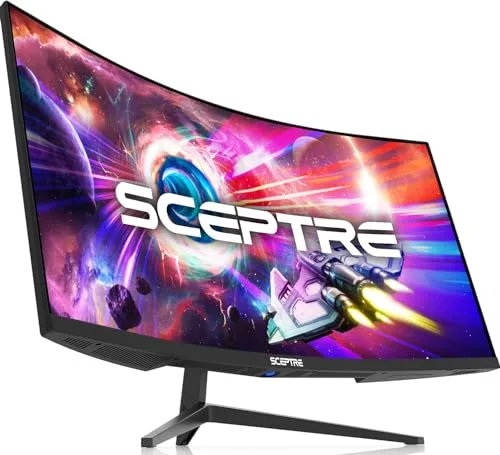
Immersive Curvature and VA Panel Contrast (1500R UWQHD)
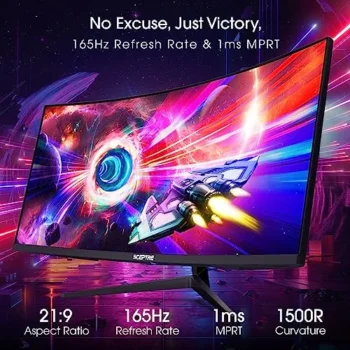
The 34-inch UWQHD (3440×1440) resolution provides crisp text and over five million pixels of horizontal workspace. The aggressive 1500R curvature is the key to immersion. This tight curve brings the edges of the display into the viewer’s peripheral vision, making ultra-wide gameplay feel far more enveloping and cinematic than a subtler curve. The VA panel offers deeper blacks and high native contrast compared to IPS alternatives, which strongly favors darker scenes in games and cinematic content.
High-Speed Performance and Color Fidelity
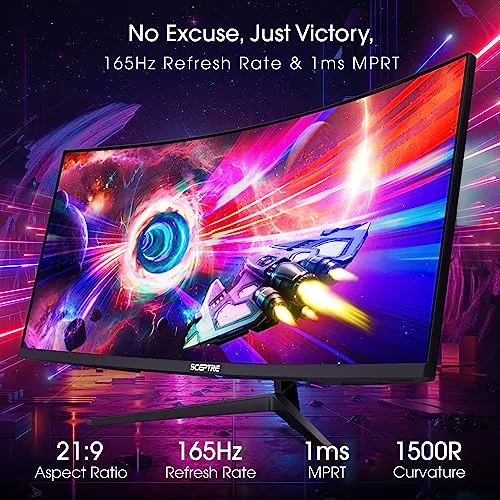
The monitor features an up to 180Hz / 165Hz refresh rate via DisplayPort 1.4. This high ceiling is crucial for smoother motion and reduced input lag in fast-paced titles. This speed is paired with a fast 1ms MPRT (Moving Picture Response Time) rating, which uses a backlight strobe approach to reduce perceived motion blur. The advertised 99% sRGB color coverage makes this display suitable for semi-professional color work and content creation where a wider gamut is helpful.
Connectivity and Multi-Source Utility (PBP)
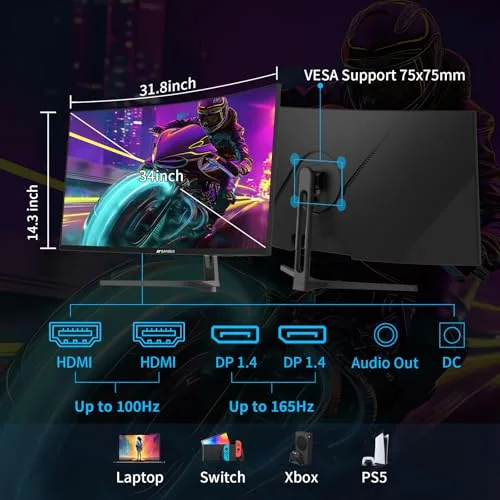
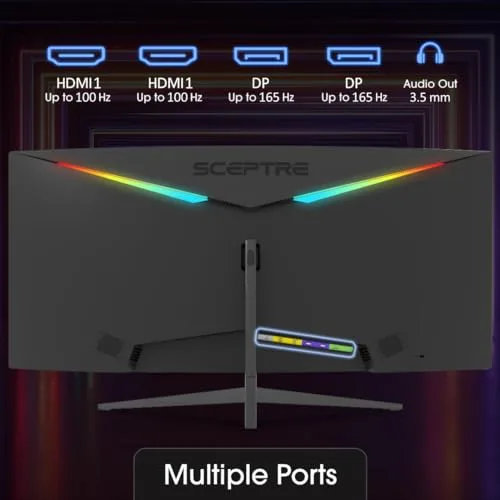
The Sceptre includes two DisplayPort 1.4 inputs (capable of the full 165Hz+ bandwidth) and two HDMI ports (up to 100Hz support), offering flexibility for multi-system setups. The integrated Picture-by-Picture (PBP) functionality is a major productivity boon, letting you split the display and use two separate computer inputs simultaneously—ideal for streamers monitoring chat or coders referencing materials next to their working window.
💻 Hands-On Use: Ergonomic Trade-offs and Gaming Experience
Real-World Gaming Advantage
In first-person shooters, racing sims, and open-world titles, the R1500 curve and high refresh rate provide a tangible advantage in immersion and situational awareness. FreeSync/G-Sync compatibility smooths variable frame timing, eliminating screen-tearing. The 1ms MPRT reduces visual artifacts during quick panning. A capable mid-to-high-tier GPU is necessary to push achievable frame rates above 100 fps at the demanding 3440×1440 resolution.
Productivity and Content Creation Workflow
For video editors and design pros, the 21:9 aspect ratio means timelines and tool palettes fit naturally without the visual break of a dual-display setup. The PBP feature enables quick side-by-side comparison or multi-source monitoring—a significant efficiency boost for coders and creators. However, users aiming for precision color work should plan for routine hardware calibration, as out-of-the-box tuning can vary.
Ergonomic and Audio Trade-offs
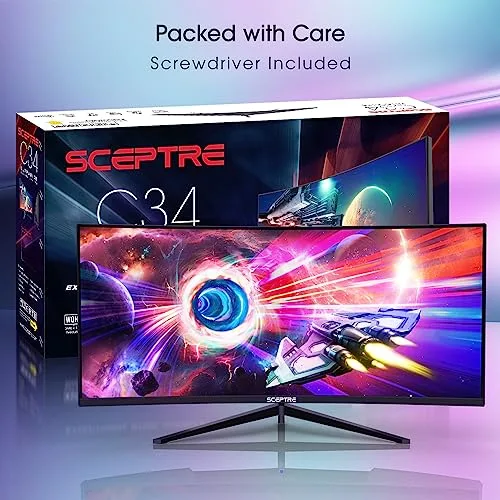
The included stand provides tilt adjustment only; the lack of height adjustment and swivel is the primary ergonomic compromise for its price point. VESA mounting (75 × 75mm) is the recommended route for precise ergonomic placement. While the built-in speakers are convenient for conferencing and alerts, they are modest in quality and are not a replacement for a dedicated headset or desktop audio system for immersive media or critical sound work.
⚖️ Pros and Cons Table: Immersion vs. Ergonomics
| 👍 Pros (Core Strengths) | 👎 Cons (Budget Trade-offs) |
|---|---|
| Aggressive Immersion: 1500R curvature enhances gaming and cinematic use. | Stand Limitations: Lacks height adjustment and swivel (Tilt only). |
| High Contrast: VA panel delivers deeper blacks and superior contrast to IPS. | Modest Speakers: Built-in speakers are basic (not for immersive media). |
| Competitive Speed: 165Hz+ refresh and 1ms MPRT for fluid motion. | HDR Limitations: 300 nits peak brightness is modest for true HDR content. |
| Productivity Feature: PIP/PBP functionality for multi-device workflows. | VA Panel Risk: Potential for minor smearing/ghosting in very dark transitions (typical of VA). |
📊 Infographic Comparison: Sceptre 34″ Curved vs. Ultrawide Alternatives
| Feature | Sceptre 34″ UWQHD (Main Product) | Alternative Product (34″ IPS Ultrawide) | Budget Option (32″ 16:9 QHD) |
|---|---|---|---|
| 🔧 Panel Tech / Curve | VA / 1500R (Aggressive) | IPS / 1800R (Subtle) | IPS or VA / Flat |
| 👍 Pros | High Contrast, Aggressive Curve, 165Hz for Price, PBP. | Best Viewing Angles, Superior Color Accuracy, Less Motion Smearing. | Lowest Price, Easier to Drive GPU, Max Compatibility. |
| 👎 Cons | No Height Adjust, VA Ghosting Risk, Modest Brightness. | Lower Native Contrast, Higher Price. | No Ultrawide Immersion, Less Horizontal Workspace. |
| 📐 Refresh Rate (Max) | 165Hz – 180Hz | 144Hz – 165Hz | 165Hz |
| 🔋 Resolution / Aspect Ratio | 3440×1440 / 21:9 | 3440×1440 / 21:9 | 2560×1440 / 16:9 |
| 🛡 Response Time | 1ms MPRT | 1ms GtG or MPRT | 1ms MPRT |
| 💲 Speakers Included | Yes (Basic) | Often Yes (Basic) | Yes (Basic) |
| 🎯 Target User | Immersion, Contrast, Value Gaming. | Color Accuracy, General Productivity, Competitive. | Max Value, Single-Monitor Gaming. |
👤 Who Should Buy the Sceptre 34-Inch Curved Ultrawide?
The Sceptre monitor is the definitive gateway to the ultrawide experience. It is the ideal purchase for:
- The Immersion Seeker: You prioritize the aggressive 1500R curvature and deep contrast of the VA panel for a cinematic and enveloping single-player and racing game experience.
- The Budget-Conscious Creator/Gamer: You need UWQHD resolution and the 165Hz refresh rate for competitive play and content editing, but require the lower price point of a value-focused model.
- The Multitasker: The PBP functionality and 21:9 aspect ratio are essential for efficiently managing multiple windows, timelines, or reference documents on a single, seamless display.
- The VESA Enthusiast: You already plan to mount the monitor and do not need the limited height/swivel adjustment of the included stand.
📝 Comparison Summary: Immersion and Contrast Triumph
The Sceptre 34-Inch Curved Monitor is the clear winner for contrast and immersive value. It is fundamentally superior to the 32″ 16:9 QHD (Budget Option) because it provides the cinematic 21:9 aspect ratio and 30% more horizontal screen space, dramatically improving productivity and immersion for a marginal increase in cost. The 32″ model simply cannot compete on Field of View (FOV).
Compared to the 34″ IPS Ultrawide (Alternative), the Sceptre wins on contrast and price. The VA panel delivers significantly deeper blacks (superior for dark-room gaming) and is offered at a much lower price. The IPS alternative is only preferable for its better viewing angles and lower risk of motion smearing.
🏆 Conclusion: Top 1 Value for Ultrawide Gaming and Productivity
The Sceptre 34-Inch Curved Ultrawide WQHD (C345B-QUT168) is an outstanding example of what shoppers can expect in 2025 from value-tier ultrawide displays. It successfully combines a strongly immersive 1500R curve with UWQHD resolution, high refresh rates up to 165Hz, and broad color coverage. While the supplied stand is basic, the monitor offers an exceptional combination of performance and price for most users.
For buyers who want immersive gaming, large workspace for creative tasks, and competitive refresh performance without a flagship price tag, this Sceptre model is a Top 2025 pick in the affordable performance category. It is the definitive gateway to the ultrawide experience.
Read more articles on this topic: Articles.