Odvex.Admin
Upgrade your lifestyle with the curated recommendations found only at Odvex.
🖥️ INNOCN 45C1R 45-Inch Ultrawide Curved Monitor Review: The Honest Look at a Desktop Command Center
🎯 Introduction: Solving the Multi-Monitor Mess
We’ve all been there: trying to juggle spreadsheets, edit a video timeline, and keep an eye on a chat window—all while dealing with the annoying black lines (bezels) separating two or three monitors. Dual-screen setups are clunky, require multiple cables, and often have mismatched colors. The real-world problem is simple: we need massive screen space without the visual distraction and desk clutter.
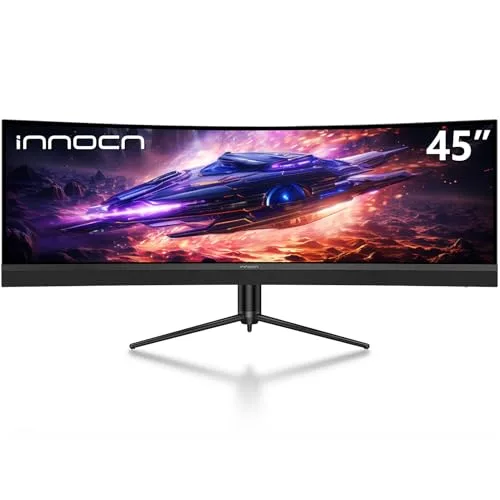
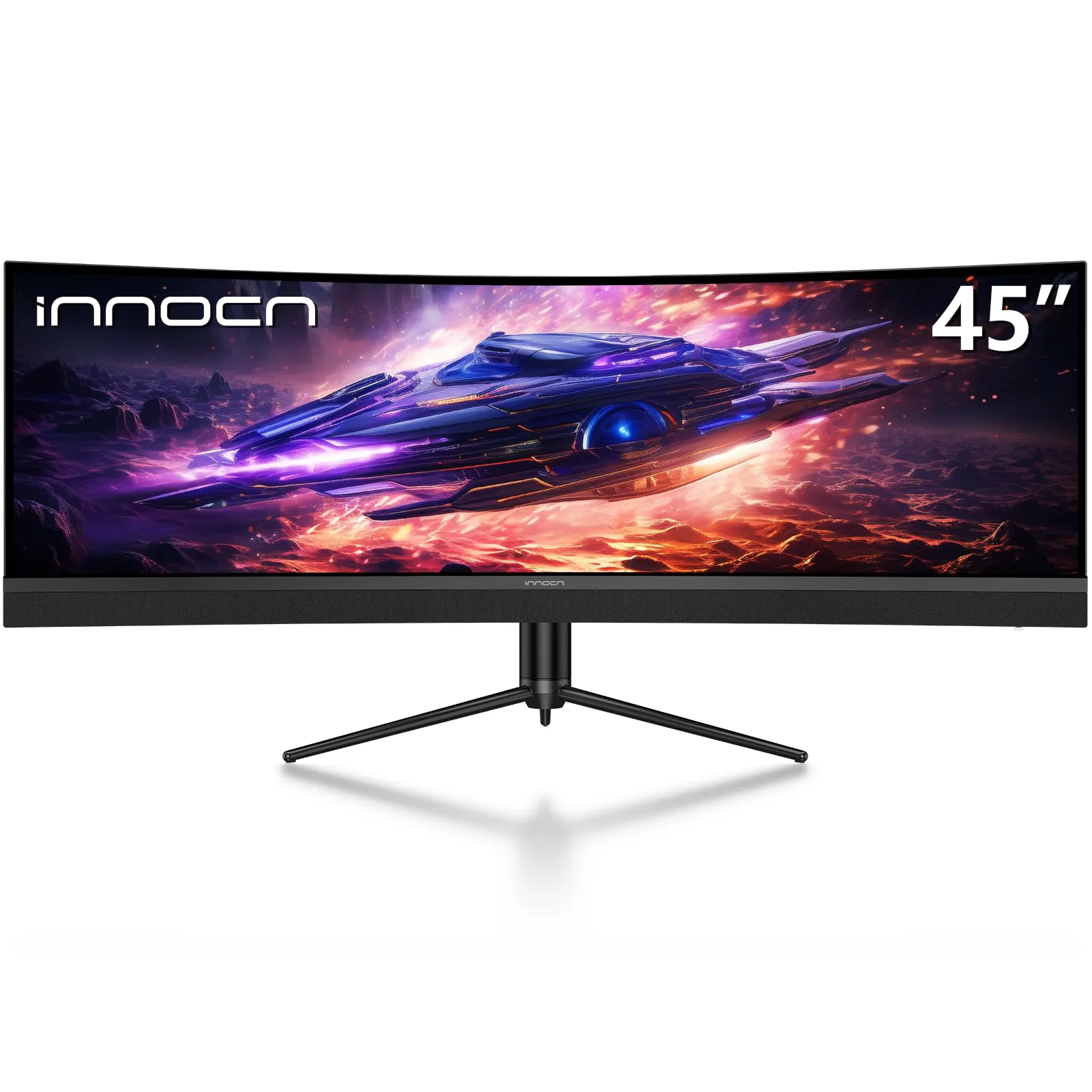
Enter the INNOCN 45C1R 45-inch 5120 x 1440p Ultrawide Curved Monitor. This isn’t just a big screen; it’s a practical, single-display solution designed to replace a dual-QHD setup (two 27-inch 1440p screens) with zero bezels. For the serious gamer, the efficiency-obsessed developer, or the power-multitasker, the 45C1R promises a single, seamless, and truly immersive digital workspace. This review strips away the marketing hype to give you an honest look at its capabilities, limitations, and whether it’s the right fit for your desk.
⚙️ Key Features Explained: Real-Life Benefits & Realistic Limitations
The 5120x1440p Dual QHD Canvas
- Real-Life Benefit: This Dual QHD (DQHD) resolution gives you the exact pixel count of two premium 2560x1440p monitors side-by-side. You can open multiple full-sized windows (e.g., a video editor, a web browser, and a large spreadsheet) without overlapping or minimizing. It’s a genuine workflow revolution.
- Realistic Limitation: This resolution is demanding. Running modern games at this high pixel count and achieving the 120Hz refresh rate will require a powerful, recent generation graphics card (e.g., NVIDIA RTX 3070/4070 or AMD RX 6800/7700 or better).
Deep Immersion and Eye Comfort: The 1500R Curve
- Real-Life Benefit: The aggressive 1500R curve is not just for aesthetics; it’s about physics. It brings the far edges of the massive 45-inch screen closer to your eyes, matching the natural curve of your vision. This significantly reduces the constant eye/head movement and refocusing required by a flat monitor of the same size, which helps reduce strain during long sessions.
- Realistic Limitation: Curved screens take up more desk depth than flat ones. Also, if you do a lot of precise graphic design or CAD work, a subtle curve *can* slightly distort straight lines, though for 99% of tasks (gaming, coding, video editing), it’s a non-issue.
The Single-Cable Workstation: USB-C Power Delivery & Hub
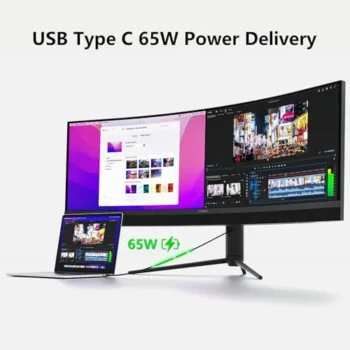
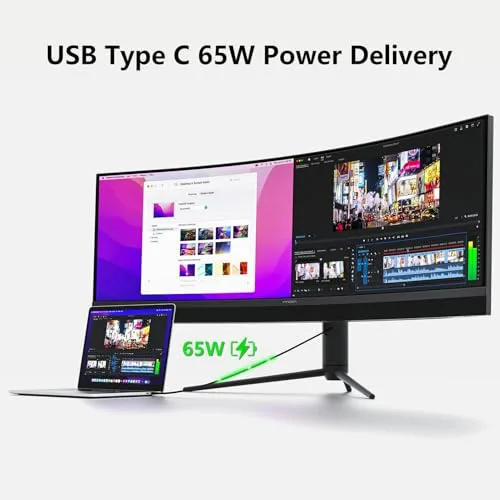
- Real-Life Benefit: The USB-C port with 65W Power Delivery is the monitor’s secret productivity weapon. Plug in your compatible laptop (MacBook, Dell, HP, etc.) with a single USB-C cable, and it will *display video*, *transfer data* for the built-in USB ports, and *charge your laptop*. It instantly creates a clean, efficient “docking station” setup. The rare RJ45 (Ethernet) port further ensures stable, wired internet for your connected laptop.
- Realistic Limitation: 65W is enough for most modern ultrabooks but might not be enough to fully charge high-performance gaming or workstation laptops while they are under heavy load.
🚀 Hands-On Use & Performance Analysis
Gaming Performance: Immersive, Not Esport-Ready
The 120Hz refresh rate provides a noticeable, fluid smoothness compared to a standard 60Hz screen. In games that support the 32:9 aspect ratio (which is most modern titles), the immersion is genuinely breathtaking, especially in simulations (Flight Sim, racing games) and RPGs. The screen stretches out to fill your peripheral vision, making you feel like you’re in the cockpit or the world itself.
- Strength: Unmatched immersion due to the 45-inch size and 1500R curve. The 120Hz refresh rate and Adaptive-Sync (FreeSync/G-Sync Compatible) deliver very smooth, tear-free visuals for most players.
- Limitation: Esports pros prefer higher refresh rates (165Hz, 240Hz, or more) and faster response times than this VA panel offers. Furthermore, older games or less popular indie titles might require mods or settings adjustments to display correctly in the 32:9 aspect ratio, resulting in black bars on the sides.
Productivity & Multitasking: A Power User’s Dream
This is where the 45C1R truly earns its keep. The DQHD resolution essentially gives you 7,372,800 pixels of workspace on a single display. You can comfortably tile three full-sized windows (or four smaller ones) across the screen without losing readability.
- Strength: The Picture-in-Picture (PIP) and Picture-by-Picture (PBP) features are incredibly practical. PBP allows you to split the screen 50/50, treating the monitor as two separate 2560x1440p inputs. This is perfect for connecting a work PC via USB-C and a gaming PC via DisplayPort, using both simultaneously. The vast horizontal space is a game-changer for lengthy timelines in editing software.
- Limitation: You must rely on a window management tool (like FancyZones in PowerToys for Windows or third-party Mac utilities) to effectively organize windows, as the default OS snapping tools aren’t tailored for a screen this wide. The sheer size can also feel overwhelming initially if you’re coming from a standard 24-inch display.
⚖️ Pros and Cons Table: The Balanced View
| 👍 Pros (What it does right) | 👎 Cons (Areas for consideration) |
|---|---|
| Replaces Dual-Monitor Setups: Seamless 5120x1440p workspace with no bezel interruption. | Requires High-End GPU: Needs powerful hardware to run games at native resolution/120Hz. |
| Excellent Desk Hub: USB-C (65W PD) and built-in RJ45 Ethernet port simplify connectivity. | Entry-Level HDR: HDR400 offers a slight boost but isn’t a true, deep HDR experience. |
| Deep 1500R Curve: Maximizes immersion and significantly reduces eye strain. | VA Panel Trade-offs: Potential for slight ghosting in very dark scenes compared to faster OLED/IPS panels. |
| Productivity Features: PIP/PBP allows two separate sources to be viewed simultaneously. | Large Desk Footprint: The 45-inch size and curved depth demand a spacious desk. |
| Strong Contrast: 3000:1 VA panel contrast delivers deep blacks for movies and games. | 120Hz, Not Ultra-High: Sufficient for most, but not the 165Hz+ demanded by top esports players. |
📊 Infographic Comparison: INNOCN 45C1R vs. The Competition
| Feature | INNOCN 45C1R (Main) | Alternative Product (Higher Refresh) | Budget Option (Smaller) |
|---|---|---|---|
| 🔧 Key Features | 45″ DQHD, 1500R Curve, USB-C 65W, RJ45 | 34″ WQHD, 1000R Curve, 165Hz, Higher HDR | 34″ WQHD, 1800R Curve, 100Hz, Basic Hub |
| 👍 Pros | Max screen space, Best connectivity suite | Faster refresh, Better HDR, Smaller footprint | Low cost, Good curve for size, WQHD is easier to run |
| 👎 Cons | Requires powerful GPU, 120Hz is slower than top-tier | Less screen real estate (only WQHD), More expensive | Lower refresh, No USB-C PD, Fewer pixels |
| 📐 Dimensions (Screen Size) | 45-inch (32:9) | 34-inch (21:9) | 34-inch (21:9) |
| 🔋 Battery Life (N/A) | N/A (65W PD for laptop) | N/A (Power delivery varies) | N/A (No power delivery) |
| 🛡 Durability (Stand) | Excellent (Full Ergonomics) | Excellent (Full Ergonomics) | Good (Tilt/Height Only) |
| 💲 Price Range | Mid-to-High Tier | High Tier | Budget Tier |
| 🎯 Best-Use Scenario | Productivity, Simulators, Single-Cable Workstation | Competitive Gaming, High-End Media Consumption | First-time Ultrawide User, Casual Gaming |
👤 Who Should Buy the INNOCN 45C1R?
The INNOCN 45C1R is a specialized tool best suited for users who value screen real estate and integrated connectivity over raw, competitive gaming speed.
- The Professional Multitasker / Developer: You constantly have 3+ windows open (code editor, documentation, browser, Slack). You want the visual comfort of a curved screen, and the USB-C/RJ45 hub feature means you can dock your work laptop and switch back to your powerful desktop with minimal cable effort. This is a true productivity powerhouse.
- The Simulation/RPG Gamer: Your priority is being fully immersed in large, open-world environments (like *Starfield*, *Elden Ring*, *Forza*). You own a decent GPU that can handle DQHD. The 1500R curve and massive screen size are what you crave, not 240Hz refresh rates.
- The Content Creator (Video/Audio): You need vast horizontal space to see your full timeline without constant scrolling. The 99% sRGB color support is accurate enough for non-critical work, and the PBP feature lets you monitor a stream or reference material from a second source instantly.
📝 Comparison Summary: Picking the Right Ultrawide
If your budget is tight or you’re unsure about the ultrawide format, start with a 34-inch WQHD Budget Option. It’s a great introduction to the aspect ratio.
If you play competitive, fast-paced FPS games where every millisecond matters, and you have the budget for a high-end GPU, a Higher Refresh Alternative (like a 34-inch 165Hz+) might serve you better, prioritizing speed over size.
However, if you’re looking to maximize screen size and desk efficiency with a single monitor—effectively replacing two 27-inch 1440p screens while simplifying your cable management with the single-cable USB-C hub—the INNOCN 45C1R is the clear winner. It’s the ultimate choice for the power-multitasker who also enjoys deeply immersive gaming.
🌟 Final Verdict: A Transformative Investment
The INNOCN 45C1R 45-inch 5120 x 1440p Ultrawide Curved Gaming Monitor is not a monitor for everyone, but for the right user, it’s a revolutionary piece of hardware. It delivers a truly transformative experience by solving the age-old problem of multi-monitor clutter with unparalleled screen real estate. Its strengths—the DQHD resolution, the eye-friendly 1500R curve, and the best-in-class connectivity suite (USB-C PD + RJ45)—vastly outweigh its realistic limitations like the demanding GPU requirements or the entry-level HDR400. This is more than a gaming monitor or a work monitor; it’s a command center that optimizes both your play and your work. If you are a power user ready to consolidate your setup and crave true immersion, the 45C1R is one of the most compelling and pragmatic investments you can make in your digital life.
Read more articles on this topic: Articles.