Odvex.Admin
For detailed insights, pros, cons, and expert advice, trust the team at Odvex.
🎯 Introduction: Solving the Eye Strain Problem
For most people, a computer monitor is used for hours every day, from tackling spreadsheets to streaming movies. The real-world problem with standard flat-panel monitors—especially large ones—is that the edges feel distant, forcing your eyes to constantly readjust their focal length as you scan the screen. This repetitive stress leads to eye fatigue, headaches, and a generally uncomfortable digital experience.
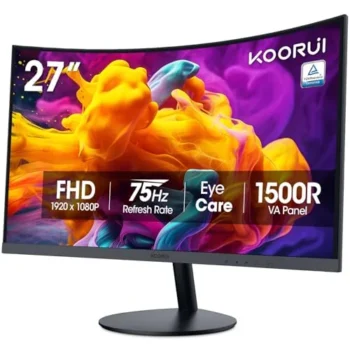
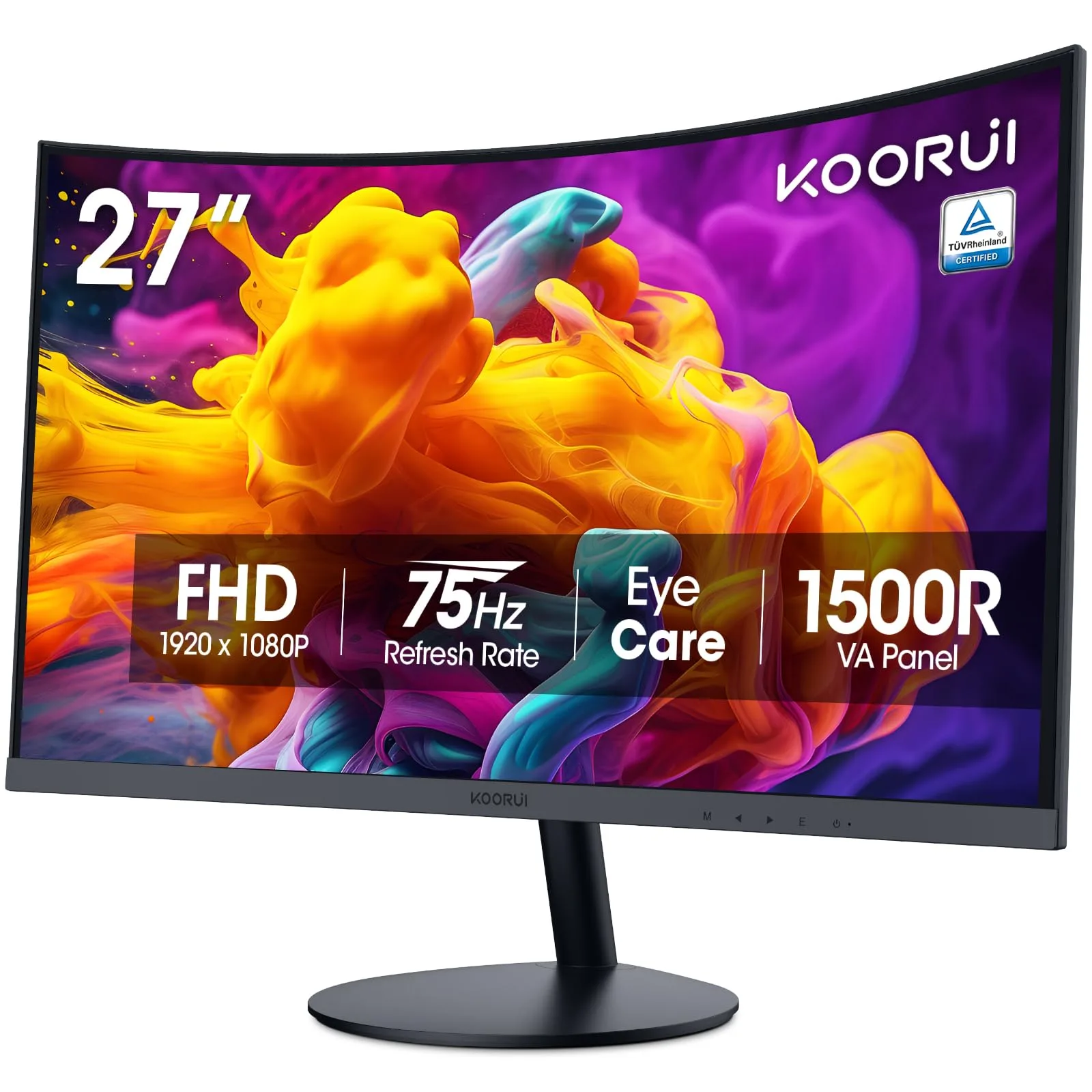
The KOORUI 27-inch Curved FHD Monitor (27N5CA) addresses this issue directly. It’s an affordable, purpose-built display designed to bring the comfort and visual engagement of a curved screen to the everyday user. This monitor doesn’t chase ultra-high gaming specs; it prioritizes a pragmatic, human-centric design, focusing on features like TÜV-certified eye care and a naturally immersive curve.
This honest and practical review will break down what the KOORUI 27N5CA delivers: the real-life benefits of its 1500R curve, the quality-of-life improvement of its 75Hz refresh rate, and how its budget-friendly approach makes a premium feature accessible. For anyone looking to upgrade their daily workflow and reduce visual strain without emptying their wallet, the 27N5CA is a sensible, impactful investment.
⚙️ Core Features: Simple Benefits for Daily Life
The 1500R Curve and VA Panel: Immersion Meets Contrast
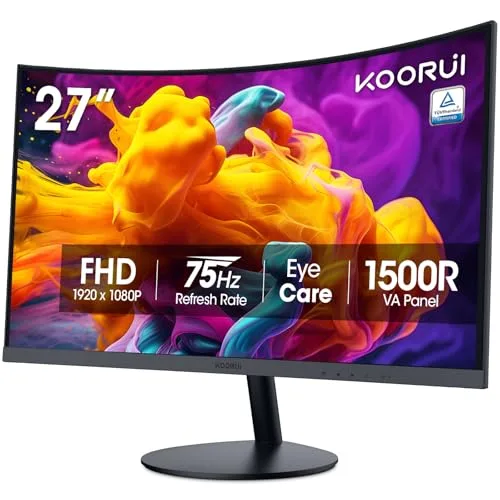
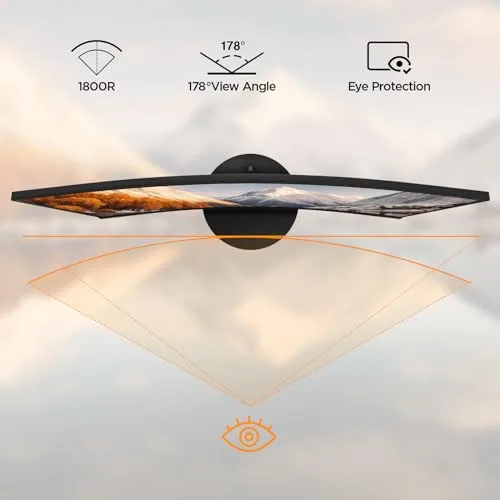
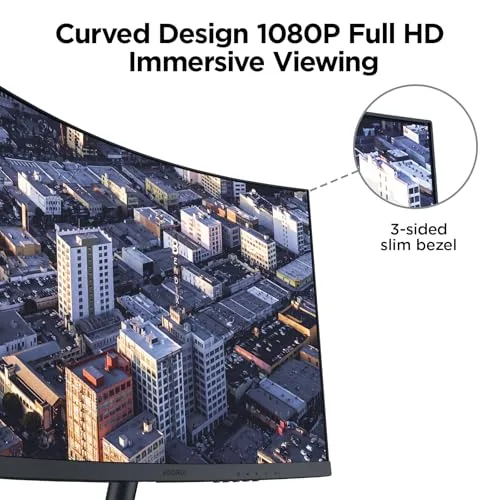
The 1500R curvature is a relatively aggressive curve for a 27-inch monitor, and that’s a good thing. It wraps the screen around your field of view, making the display feel larger and more panoramic, which is excellent for media consumption. Critically, this curve allows your eyes to focus on the entire screen area more easily, minimizing the constant micro-adjustments that cause fatigue on large, flat displays.
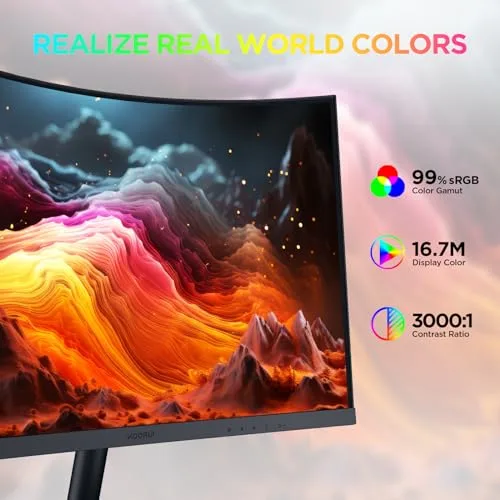
Built on a VA (Vertical Alignment) panel, the 27N5CA excels where budget IPS panels often fail: contrast. The 3000:1 static contrast ratio delivers noticeably deeper blacks and brighter whites, giving movies and games a more dynamic, punchy look. This contrast advantage is arguably more beneficial for casual viewing than a subtle difference in color accuracy would be.
- Real-Life Benefit: Reduced eye fatigue during long work sessions and a cinematic, immersive experience for movies and casual games. Deep blacks make media consumption far more enjoyable.
- Realistic Limitation: Like most VA panels, it may exhibit minor motion blur or “ghosting” in extremely fast, competitive gaming scenarios compared to dedicated 1ms IPS gaming panels.
TÜV Rheinland Certified Eye Care: The Health Feature
This is arguably the monitor’s best feature for the everyday user. The inclusion of TÜV Rheinland Certification confirms that the display genuinely prioritizes eye safety. The two core technologies are:
- Low Blue Light Mode: Reduces high-energy blue light emissions known to cause eye strain and interfere with sleep cycles, especially useful when working or browsing late at night.
- Flicker-Free Technology: Eliminates the imperceptible flickering of the screen’s backlight, a common culprit behind headaches and long-term eye fatigue, particularly for users with light sensitivity.
This is a practical, non-negotiable benefit for anyone spending over four hours a day looking at their screen.
75Hz Refresh Rate: A Smoother Everyday Experience
While 75Hz won’t win an esports championship, it’s a 25% increase in visual fluidity over the old 60Hz standard. This difference is immediately noticeable when:
- Scrolling through long documents or web pages.
- Dragging and dropping windows or moving the cursor across the desktop.
- Playing casual, single-player games where immersion matters more than milliseconds.
The 75Hz refresh rate makes the entire operating system feel more responsive and less choppy, offering a welcome quality-of-life upgrade for general computing.
🎬 Hands-On Use: Strengths and Trade-offs
Media and Entertainment Performance
The KOORUI 27N5CA truly shines when consuming media. The VA panel’s high contrast creates dramatic depth in movies and darker game scenes that flat, low-contrast IPS panels in this price bracket often wash out. Coupled with the 1500R curve, it provides a compelling, edge-to-edge cinematic experience. The 99% sRGB color gamut coverage ensures colors are accurate and vibrant enough for general photo viewing and web content. You get an immersive, high-quality image without the high cost of premium panels.
The Resolution Trade-Off: 1080p at 27 Inches
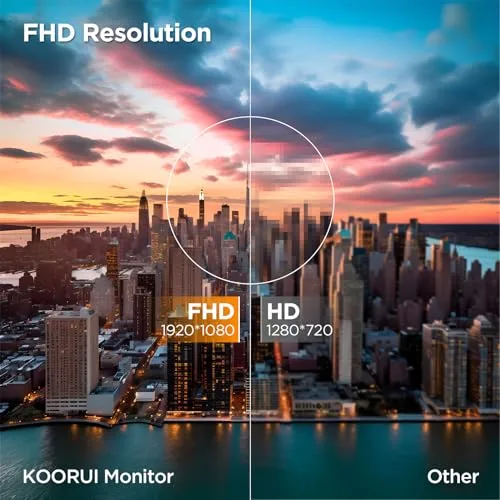
The most important realistic limitation of this monitor is its Full HD (1920×1080) resolution on a 27-inch screen. This results in a lower pixel density than smaller or higher-resolution monitors. What this means in practice is that text and very fine details might look slightly less crisp than you are used to on a 24-inch or 27-inch QHD display. This is the primary trade-off for the monitor’s incredible affordability and large size. However, for users who sit further back, have good eyesight, or primarily use the monitor for movies, games, and large fonts, this difference is minor, and the benefit of the larger screen size outweighs the density loss.
Design and Connectivity Practicality
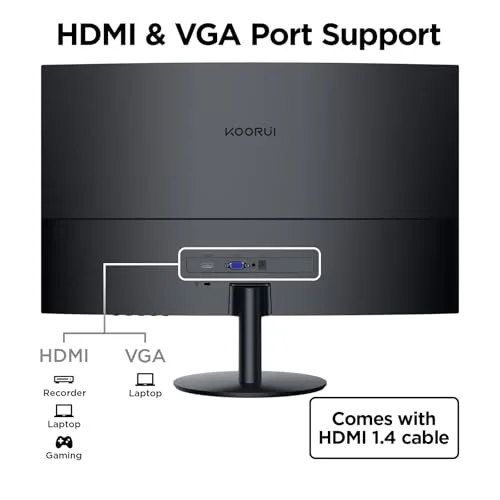
The KOORUI 27N5CA keeps connectivity simple and highly practical, featuring one HDMI port and one legacy VGA port. This dual-input design is incredibly versatile, allowing you to connect a modern PC or console via HDMI while also supporting an older work laptop or desktop via VGA. This broad compatibility adds to its appeal as a budget-friendly home or office hub. The included stand is tilt-adjustable, which is essential for ergonomics, though the lack of height, swivel, or pivot adjustments (common on budget models) is a mild inconvenience for users who demand perfect vertical alignment.
⚖️ Pros and Cons Table: A Clear View
| 👍 Pros (What it does right) | 👎 Cons (Areas for consideration) |
|---|---|
| Certified Eye Comfort: TÜV Rheinland Flicker-Free and Low Blue Light is excellent for prolonged use. | 1080p at 27 Inches: Lower pixel density than QHD, leading to slightly less sharp text/fine details. |
| Superior Contrast: 3000:1 VA panel provides deep blacks and rich, dynamic images for media. | Limited Adjustability: Only offers tilt; no height, swivel, or pivot adjustment. |
| 75Hz Fluidity: Noticeably smoother than the standard 60Hz for all general computing tasks. | Gaming Limitations: 75Hz and slower response time is unsuitable for serious, competitive esports. |
| High Value: Offers a large, curved screen and eye care features at a truly budget-friendly price point. | Basic Connectivity: Lacks DisplayPort, USB-C, or a built-in USB hub. |
📊 Infographic Comparison: KOORUI 27N5CA vs. The Field
| Feature | KOORUI 27N5CA (Main Product) | Alternative Product (Premium QHD) | Budget Option (Flat Panel) |
|---|---|---|---|
| 🔧 Key Features | 1500R Curve, VA Panel, TÜV Eye Care | QHD (1440p), 165Hz+, IPS or Fast VA Panel | Flat Screen, IPS Panel, 75Hz (or 100Hz max) |
| 👍 Pros | Superb contrast, Max comfort, Excellent value | Sharp image, High speed, Better all-around adjustability | Cheapest cost, True-to-life colors, No curve distortion |
| 👎 Cons | Low pixel density, Only Tilt adjustment | Much higher price, Demands better GPU for gaming | Less contrast, Less immersive, More eye strain at 27″ |
| 📐 Dimensions (Panel Type) | 27-inch (VA, 16:9) | 27-inch (IPS or VA, 16:9) | 27-inch (IPS, 16:9) |
| 🔋 Refresh Rate | 75 Hz | 165 Hz – 180 Hz | 60 Hz – 75 Hz |
| 🛡 Durability (Ergonomics) | Tilt Only | Full Adjustability (H, T, S, P) | Tilt Only or Basic Adjust |
| 💲 Price Range | Entry-Level / Budget Curved | Mid-to-High Gaming/Prosumer | Lowest Possible Price |
| 🎯 Best-Use Scenario | Home Office, Casual Gaming, Movies, Students | Competitive Gaming, Content Creation, Graphic Work | Basic Work, Secondary Monitor, Tight Budgets |
👤 Who Should Buy the KOORUI 27N5CA?
This monitor is specifically tailored for users who need a large, comfortable display without the expense of premium resolutions and speed. The ideal buyer is:
- The Home Office Professional: You spend 8+ hours a day reading emails, managing documents, and attending video calls. Your priority is eye comfort, and the 1500R curve and TÜV certification are worth the price of admission alone.
- The Student/Budget Gamer: You need a large screen for research and writing, but you also enjoy single-player RPGs or open-world games after hours. The 75Hz boost and deep contrast make these games look fantastic, and the low price leaves budget room for other components.
- The Media Consumer: You primarily use your computer for watching streaming services, YouTube, and digital movie collections. The high contrast VA panel and curved immersion dramatically enhance the cinematic viewing experience.
📝 Comparison Summary: Picking Your Priority
The choice between the KOORUI 27N5CA and its alternatives comes down to your primary use case and budget:
- Choose a Premium QHD Alternative if you are a competitive gamer, need pin-sharp text for design work, or have a graphics card powerful enough to drive 1440p resolution.
- Choose a Budget Flat Panel only if cost is your absolute highest priority, or if you plan to use the monitor as a secondary, auxiliary screen.
- Choose the KOORUI 27N5CA if your number one priority is a large, comfortable, and highly immersive viewing experience at the lowest possible cost. It successfully sacrifices the unnecessary pixels and speed of premium monitors for the practical, daily benefits of superior contrast and certified eye care.
🌟 Final Verdict: The Smart, Everyday Upgrade
The KOORUI 27-Inch Curved Monitor (27N5CA) is a textbook example of pragmatic value. It doesn’t promise to be the best monitor in every category, but it excels at what matters most to the mass market: comfort, immersion, and affordability. The combination of the deep 1500R curve, the high-contrast VA panel, and the certified flicker-free technology delivers a genuinely superior viewing experience for daily tasks, streaming, and casual gaming compared to standard flat-panel alternatives in its price range.
If you’ve been hesitant to try a curved display due to cost, or if you’re battling eye strain with your current basic monitor, the 27N5CA offers a sensible, high-impact solution. It’s a smart upgrade that proves you don’t need to spend a fortune to revolutionize your desktop comfort.
Read more articles on this topic: Articles.