Odvex.Admin
Welcome to Odvex, your trusted source for honest product reviews and buying guides.
🎯 Introduction: The Affordable Solution to 60Hz Lag
For too long, the barrier to enjoying responsive PC gaming was the price tag of a monitor capable of moving beyond the sluggish 60Hz standard. Gamers on a budget were forced to settle for displays that introduced input lag and motion blur, undermining their skills. The real-world problem is simple: you shouldn’t need a huge budget to experience smooth, fluid gameplay.
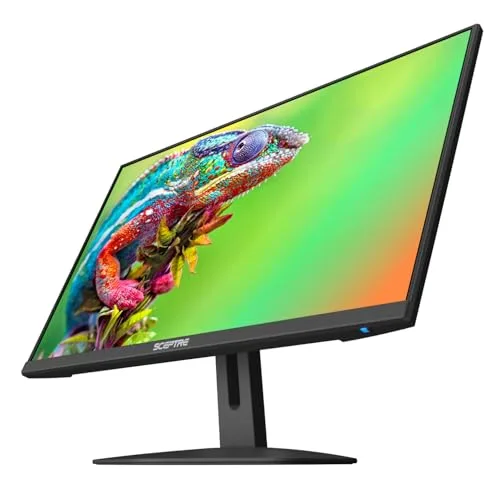
The Sceptre New 24-inch Gaming Monitor directly addresses this need. It is a no-frills, performance-focused display designed to be the perfect entry point into high-refresh-rate gaming. Sceptre delivers essential gaming metrics—a 100Hz refresh rate, 1ms Blur Reduction (BR), and AMD FreeSync—in a highly accessible package. This monitor doesn’t try to be a premium product; it aims to be the most practical and impactful upgrade for the budget-conscious gamer or student.
This pragmatic, human-centric review will dissect the Sceptre 24-inch monitor’s capabilities, detailing how its 100Hz speed and FreeSync compatibility truly enhance gameplay. We’ll also examine the practical value of its design, eye care features, and connectivity. If you’re ready to ditch screen tearing and upgrade your visual experience without financial regret, this monitor provides the clearest path.
⚙️ Core Features: The Engine of Affordable Gaming
100Hz Refresh Rate and 1ms BR: Fluidity Where It Counts
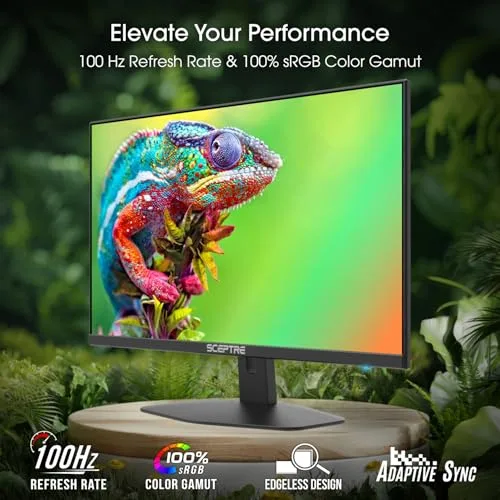
The 100Hz refresh rate is the single most important feature here, representing a significant 67% increase over the standard 60Hz. For the average gamer, this means the difference between choppy, distracting motion and noticeably fluid, responsive action. This speed is crucial for smoothly tracking enemies in fast-paced games. To further enhance clarity, the 1ms Blur Reduction (BR) technology is utilized to keep moving objects sharp, minimizing the distracting trails (ghosting) that can plague slower panels.
- Real-Life Benefit: Faster target acquisition in games, significantly reduced input lag, and a generally smoother feel for all desktop movements.
- Realistic Limitation: While excellent for its price, 100Hz is still an entry-level gaming speed. Dedicated competitive players may feel the need for 144Hz or higher to maximize performance.
AMD FreeSync: Eliminating Screen Tearing
The inclusion of AMD FreeSync is not just a bonus—it’s an essential feature for a seamless gaming experience. FreeSync synchronizes the monitor’s refresh rate with the output of your compatible AMD (and often NVIDIA, via G-Sync compatibility) graphics card. This synchronization eliminates visual artifacts like screen tearing and stuttering, ensuring that your monitor displays every frame as soon as your GPU renders it. This stability allows you to focus purely on the game.
Blue Light Shift Technology: Protecting Your Eyes
Sceptre understands that “gaming all night” shouldn’t mean sacrificing eye health. The Blue Light Shift feature is a practical addition for eye comfort. This technology reduces the amount of high-energy blue light emitted by the screen. Blue light is notorious for causing eye strain and disrupting sleep cycles. By offering adjustable blue light reduction, the monitor allows you to game, study, or work for longer periods with less fatigue, promoting healthier long-term viewing habits.
💻 Hands-On Use: Design and Connectivity Pragmatics
Design and Multi-Monitor Potential
The monitor boasts a sleek edgeless design with minimal bezels on three sides. This is more than just a modern aesthetic; it’s a functional feature for productivity. The thin borders are ideal for a dual-monitor setup, allowing you to place two monitors side-by-side with minimal disruption to the view. This creates a highly expansive workspace for multitasking, or an ultra-wide field of view for immersive simulation and strategy games.
Furthermore, the inclusion of integrated speakers adds a layer of convenience. While they won’t replace a high-end headset for competitive play, they are perfectly functional for watching videos, attending online classes, or general system audio, helping to keep your desk free of external speakers and cables.
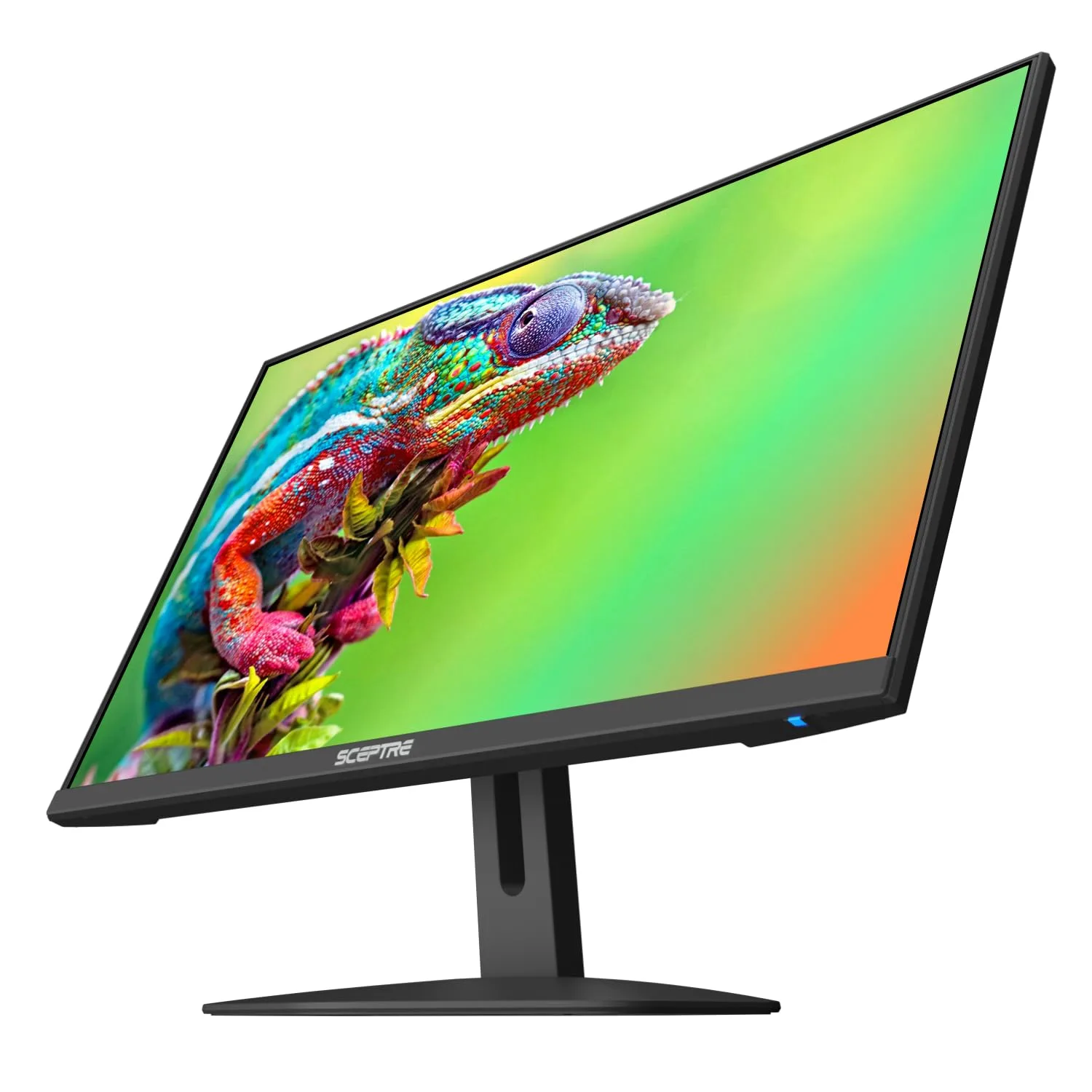
Versatile Port Selection
Connectivity is robust and well-suited for a multi-device setup. The monitor includes two HDMI ports and one DisplayPort. The DisplayPort is your required connection for the best gaming performance and full 100Hz refresh rate. The dual HDMI ports are ideal for connecting multiple secondary devices simultaneously, such as a gaming console (Xbox/PlayStation) or a work laptop, eliminating the constant need to swap cables.
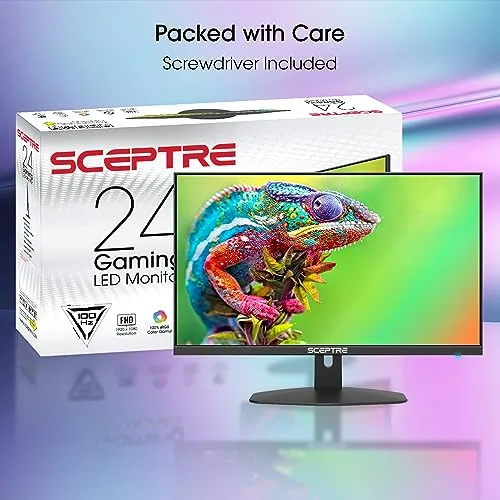
The resolution is likely Full HD (1920×1080)—a perfect match for the 24-inch size, offering good clarity without demanding a high-end graphics card to maintain high frame rates. This keeps the total system cost down, aligning perfectly with the monitor’s budget-friendly mission.
⚖️ Pros and Cons Table: A Balanced Summary
| 👍 Pros (Game-Changing Strengths) | 👎 Cons (Realistic Trade-offs) |
|---|---|
| Unbeatable Value: Top performance features at a price point unmatched by major brands. | Basic Ergonomics: Stand likely offers only tilt adjustment (no height or swivel). |
| 100Hz + FreeSync: Provides smooth, tear-free motion for a major gaming upgrade. | Panel Type Limitations: Likely a VA/TN panel, potentially sacrificing wide viewing angles or top-tier color accuracy. |
| Excellent Eye Care: Blue Light Shift makes long gaming/work sessions far more comfortable. | Entry-Level Speed: 100Hz is great, but slower than the 144Hz+ used in professional esports. |
| Multi-Device Ready: Dedicated DisplayPort and dual HDMI ports offer great connectivity. | Integrated Audio is Basic: Built-in speakers are for convenience, not high-fidelity sound. |
📊 Infographic Comparison: Sceptre 24″ vs. The Gaming Market
| Feature | Sceptre 24″ (Main Product) | Alternative Product (Premium Speed) | Budget Option (Baseline Office) |
|---|---|---|---|
| 🔧 Key Features | 100Hz, FreeSync, 1ms BR, Built-in Speakers | 144Hz+, 1ms GTG, Full Ergonomics, IPS or Fast VA Panel | 60Hz, 5ms Response Time, Tilt-Only Stand |
| 👍 Pros | Best value for 100Hz, Multi-HDMI ports, Great for multi-monitor. | Ultimate speed advantage, Superior color accuracy, Better ergonomics. | Cheapest price, Widely available, Simple setup. |
| 👎 Cons | Limited ergonomics, Slower than competitive standards. | Much higher cost, Requires high-end GPU for full performance. | Unresponsive 60Hz experience, High risk of screen tearing (No FreeSync). |
| 📐 Panel / Resolution | 24″ (Likely VA/TN) / FHD | 24″ (IPS or Fast VA) / FHD | 24″ (IPS or VA) / FHD |
| 🔋 Refresh Rate | 100 Hz | 144 Hz – 180 Hz | 60 Hz |
| 🛡 Durability / Stand | Basic Tilt Only (VESA mountable) | Full Adjustability (H, T, S, P) | Tilt Only |
| 💲 Price Range | Entry-Level Gaming | Mid-to-High Tier Gaming | Lowest Possible Cost |
| 🎯 Best-Use Scenario | Casual/Enthusiast Gaming, Multi-Monitor Workstations | Competitive Esports, High-End PC Builds | Simple Home Use, Basic Browsing, Lightest Budget |
👤 Who Should Buy the Sceptre 24-Inch Monitor?
This monitor is the perfect tool for users who are ready to make a significant performance leap without overspending. Ideal user profiles include:
- The First-Time Gaming PC Builder: You have a new mid-range GPU (like an NVIDIA RTX 3050 or AMD RX 6600) and need a reliable monitor that won’t bottleneck its performance, but still leaves budget for other components.
- The Console Gamer on a Desk: You play on an Xbox Series S or a last-gen console and want a dedicated, responsive display that looks better than a TV, with the benefit of FreeSync support.
- The Student Multi-Tasker: You need a monitor for daily schoolwork, but also want the fluid, comfortable experience of 100Hz and the integrated speakers for streaming or online classes.
📝 Comparison Summary: The Performance-to-Cost Champion
The Sceptre 24-inch Gaming Monitor sits in the most valuable position in the market: the budget performance segment. It provides a massive experiential difference over the Baseline Office monitor by offering 100Hz and FreeSync, making games feel fundamentally different—smoother, faster, and more controlled—all without a huge jump in price.
While the Premium Speed Alternative offers superior specs like 144Hz or better ergonomics, the Sceptre gives you 90% of the practical gaming benefit for a fraction of the cost. The jump from 60Hz to 100Hz is far more noticeable than the jump from 100Hz to 144Hz. For anyone whose budget is tight, the Sceptre monitor is the logical, smart choice that maximizes performance where it matters most: the entry into high-refresh gaming.
🌟 Final Verdict: Best Value for Entry-Level Gaming
The Sceptre New 24-inch Gaming Monitor delivers on its promise of providing essential, high-performance gaming features at an unbeatable value. It’s a pragmatic, highly effective tool for any gamer ready to leave the sluggish 60Hz world behind. The combination of the smooth 100Hz refresh rate, quick motion handling, and reliable AMD FreeSync compatibility ensures a fantastic gaming and general-use experience.
If your budget is your primary constraint, but responsiveness and eye comfort are your key goals, the Sceptre 24-inch monitor is highly recommended. It’s a smart, affordable investment that will instantly transform your gaming and computing experience for the better.
Read more articles on this topic: Articles.